
Industrial safety training
Repeating emergency and equipment-use scenarios in a risk-free environment.
VR / AR
Immersive VR / AR experiences for training, simulation and product presentation.
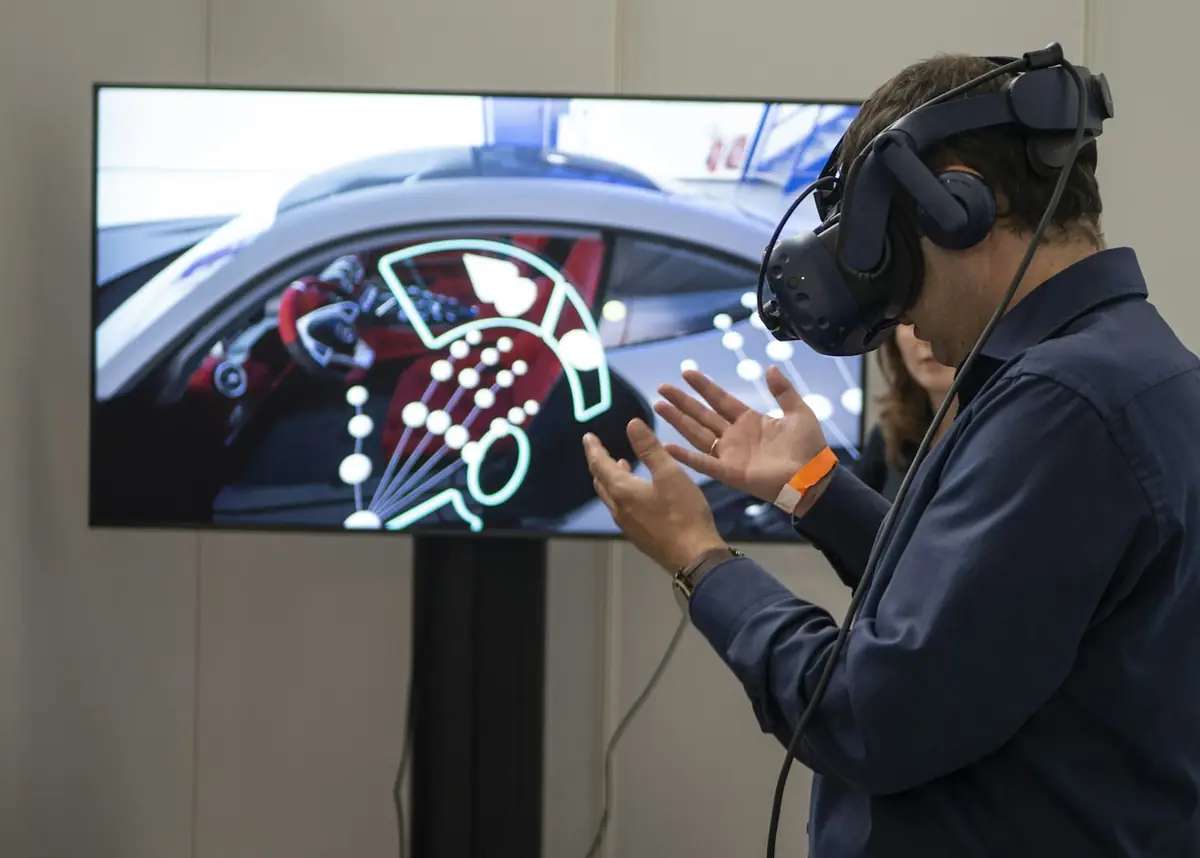
Virtual and augmented reality are among the most effective ways to explain complex products, train staff in a risk-free environment and visualize field operations. Depending on your needs, we design mobile AR, browser-based 3D or headset-based VR applications.
In every project we define the target audience, device constraints and performance budget from the start, and develop the experience together with measurable usage goals.
In detail
Virtual reality (VR) takes the user into a fully digital environment; it is ideal for safely simulating dangerous, expensive or hard-to-reach settings. Augmented reality (AR) overlays digital content on the real environment; it is more practical for product try-outs, maintenance guides and field support.
We choose based on the use case, not the technology. For most corporate needs, phone-based AR that requires no special headset or a 3D experience that runs in the browser is the best first step in terms of both accessibility and cost.
In applications such as machine operation, safety procedures and emergency training, people learn by making mistakes without real-world consequences. Scenario-based VR training gives instructors measurable data with step validation, timing and error logs.
Content is produced together with your training experts. Scenarios that are scientifically and professionally accurate are the most important factor in whether the application is accepted.
Being able to view complex or large products in the customer's environment shortens the decision process. We optimize your existing CAD or 3D models for web and mobile and make color, size and accessory options interactive.
The performance budget is critical here: model polygon count, texture size and lighting are tuned to run smoothly on the target devices.
Scope
Fully immersive training and simulation environments.
Experiences that show the product in its real environment on a mobile device.
Interactive 3D models for catalogs and sales processes.
Simulations for machine, procedure and safety training.
User guidance, interface and sound design.
Model and texture optimization for smooth performance.
Problem → solution
We can't show our product to customers on site.
We build mobile or web experiences that let customers view the product to scale in their own environment with AR.
Training is expensive and risky.
We make dangerous or costly processes safely repeatable with VR simulation.
The field team mixes up maintenance steps.
With an AR maintenance guide we show the steps directly on the equipment.
Process
The use case, users and measurement indicators are defined.
Deliverable: Scenario documentThe choice between VR, AR and web 3D is made.
Deliverable: Technical proposalThe interface, interactions and 3D assets are prepared.
Deliverable: PrototypeThe application is developed and tested on the target devices.
Deliverable: Tested applicationIt is deployed and usage data is reported.
Deliverable: Usage reportUse cases
Repeating emergency and equipment-use scenarios in a risk-free environment.
Showing furniture, equipment or machinery to scale in the customer's environment.
Interactive 3D presentation where the physical product is hard to transport.
Things to watch out for
Recommending a VR headset for everything
The right way: don't invest in hardware if the need can be met with a single phone app.
Leaving performance until the end
The right way: set the model and texture budget at the start.
Skipping measurement
The right way: collect usage and learning data from the start.
Portfolio
FAQ
AR usually runs on a phone or tablet. For VR, the hardware is chosen based on the target headset; we recommend the simplest option that fits the need.
Yes. We can adapt and optimize your existing CAD/3D models for the application.
Yes. We can add a measurement infrastructure that reports user interactions and completion status.
A simple AR product viewer takes a few weeks, while a comprehensive VR training simulation takes longer depending on the number of scenarios. We share a timeline once the scope is clear.
No. Web-based experiences run in the browser; a mobile app can be published through the app stores or internal distribution.
VR (virtual reality) takes the user into a fully digital environment; it's ideal for training and simulation. AR (augmented reality) overlays digital objects on the real world; it's suited to product presentations, field support and catalog applications. We choose together based on your goal.
We can support standalone VR headsets as well as PC-tethered headsets. For AR, smartphones and tablets are the most common option; with web-based AR it's also possible to offer the experience in the browser without downloading an app. Device selection is based on your number of users and usage environment.
Cost varies with the amount of 3D content, interaction complexity, number of devices and integration needs. A simple AR product viewer and a multi-user training simulation are not in the same budget class. In the first meeting we clarify the scope and provide a written quote.
We recommend first preparing a small prototype with the core experience and putting it through user testing. Phased delivery shaped by feedback lowers both risk and cost. The full version is built on the approved prototype.
For user comfort, movement design, session lengths and camera motion are carefully planned. For long training sessions in particular, we recommend short sessions and break areas. Comfort tests with different users are carried out during testing.
Yes. Content can be loaded onto the device and designed to run offline. If multi-user scenarios or central reporting are needed, online components are added. If you have corporate network restrictions, we take them into account in the design.
Yes. We can convert your existing CAD files, scan real objects with photogrammetry or do 3D modeling from scratch. Lightening the models for performance (optimization) is carried out as a separate step for a smooth experience.
Explore
We build custom AI systems for your organization that turn data into decisions.
Explore Custom SoftwareSoftware that fits your business processes exactly, where off-the-shelf packages fall short.
Explore R&DOriginal R&D projects built with scientific method; from academic knowledge to technology products.
ExploreHow can we help you?
Software SupportExisting software and technical support Project SupportNew projects, quotes and consultingWe reply quickly on business days.
 VR / AR Applications